
If you’ve ever been interested in having all of Wikipedia in a plain-text format, you might have been disappointed to learn that Wikipedia doesn’t actually make this format available. This PowerShell script will create a plain-text version of Wikipedia for you.
Edit: If you want to see how deep this rabbit hole goes, check out our Black Hat / DEF CON presentation: https://www.youtube.com/watch?v=x97ejtv56xw
In a recent post, we talked a little bit about detecting obfuscated PowerShell through the use of PowerShell’s tokenizer - tackling, as an example, the highly irregular variable names generated by MetaSploit’s PowerShell encoder. Obfuscation has been around as long as computer programs have, so the rise of obfuscated PowerShell scripts shouldn’t be much of a surprise. Obfuscated VBScript, Perl, Ruby, Python, and of course assembly language are very common. A great example comes from this blog: http://perl-users.jp/articles/advent-calendar/2010/sym/11, which relies heavily on dynamic evaluation through Invoke-Expression:
In preparation for some upcoming presentations, I wanted to make some images of the current Fortune 500 logos. No such resource existed, so now it does.
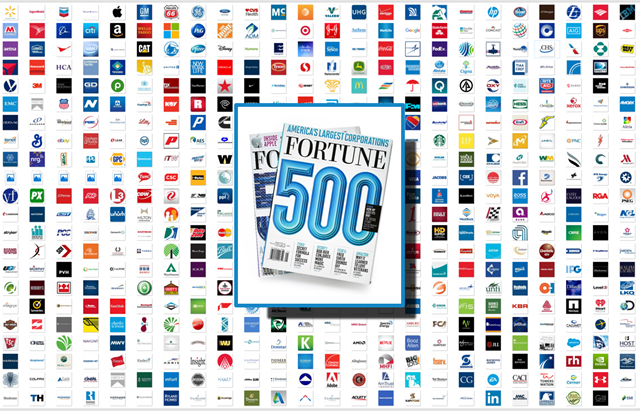
The attached ZIP has:
- Logos for the Fortune 500, numbered by their position
- A PowerPoint deck with a slide where they are composed together
- An image of the logos in a grid
- An image of the logos in a grid, with a “Fortune 500” logo on top.
Link: http://www.leeholmes.com/projects/fortune500/fortune500.zip
I recently had my HP Photosmart Premium stop working. Initially, it failed with an error message requesting that I clear the carriage jam. This was caused by the carriage being stuck at the far right of the printer where it normally goes to clean the print head.
The carriage was stuck enough that moving it with my hands didn’t work. When I took the sides of the printer off, there was a movable plate stuck below the carriage that I was able to slide away using a bamboo skewer.
Edit: If you want to see how deep this rabbit hole goes, check out our Black Hat / DEF CON presentation: https://www.youtube.com/watch?v=x97ejtv56xw
I was recently looking at a sample that was encoded using MSF’s basic template obfuscation (stolen without attribution from Matt Graeber of course):
For example:
function mtKZ {

       Param ($l7PpJu1SE4VO, $qhnBBk5lHo)

       $pcE6VKGt = ([AppDomain]::CurrentDomain.GetAssemblies() | Where-Object { $_.GlobalAssemblyCache -And $_.Location.Split('\\')[-1].Equals('System.dll') }).GetType('Microsoft.Win32.UnsafeNativeMethods')

       return $pcE6VKGt.GetMethod('GetProcAddress').Invoke($null, @([System.Runtime.InteropServices.HandleRef](New-Object System.Runtime.InteropServices.HandleRef((New-Object IntPtr), ($pcE6VKGt.GetMethod('GetModuleHandle')).Invoke($null, @($l7PpJu1SE4VO)))), $qhnBBk5lHo))

}
For detection purposes, attempted obfuscation like this (i.e.: the variable names) are themselves an indicator to malicious activity.
We had an interesting discussion at work the other day about how to launch modern Windows applications from the command line.
There are a few solutions out there (Tome’s is close), although few of them are happy with their results :)
Many of them rely on protocol handlers (i.e.: “start bingnews://”), but that means memorizing a bunch of protocol handler prefixes.
Tome’s blog mentions the Get-AppxPackage cmdlet – the real workhorse of a proper solution.
I got a question today about the handwriting recognition capabilities of my ScanSnap ix500. I’m still madly in love with the ScanSnap for paperwork and automatic document filing, but handwriting isn’t its strong point. Here’s an example document I scanned:
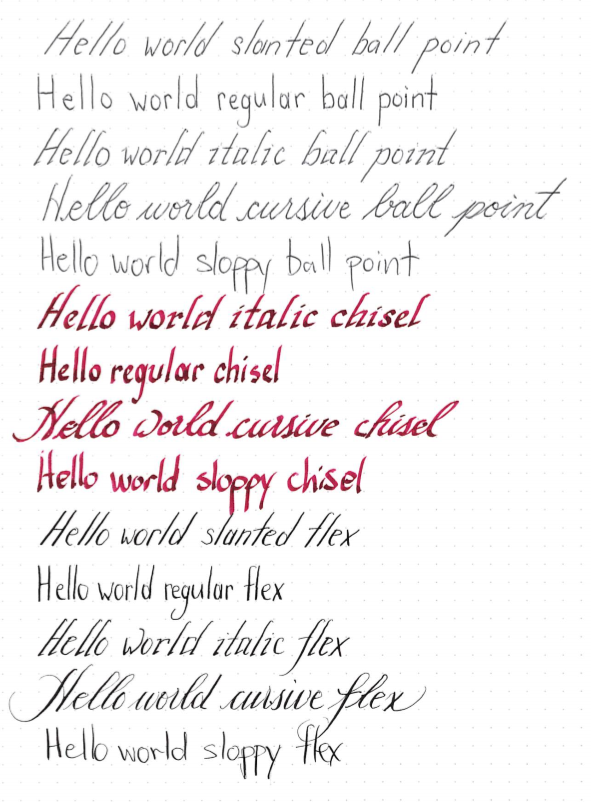
Here’s what was recognized:
We recently had a customer question where they were concerned that some commands might be typed accidentally and end up causing significant disruption. In general, commands that fit that classification include a confirmation message to warn you, but sometimes you just don’t agree with what the cmdlet author thought was a high-impact action. While Restart-Computer might be a day-to-day operation for some servers, it might be certain doom for others.
If you’ve been using PowerShell for long, you are probably familiar with the concept of wildcards. At the very least, you’ve done something like this:
PS C:\temp> dir *.txt

    Directory: C:\temp

Mode                LastWriteTime     Length Name
----                -------------     ------ ----
-a---         1/21/2015  10:01 AM        664 test.txt
Or perhaps you’ve taken a lap or two around about_wildcards and now type things like this in your sleep:
PS C:\temp> dir C:\win*\*.N[a-f]?\F*\v2*\csc.exe

    Directory: C:\Windows\Microsoft.NET\Framework\v2.0.50727

Mode                LastWriteTime     Length Name
----                -------------     ------ ----
-a---         5/26/2014   9:39 PM      77960 csc.exe

    Directory: C:\Windows\Microsoft.NET\Framework64\v2.0.50727

Mode                LastWriteTime     Length Name
----                -------------     ------ ----
-a---         5/26/2014   9:39 PM      88712 csc.exe
While wildcarding in the Path parameter is both powerful and useful, you might have seen another parameter: Filter.
If you’ve ever wanted to extract tables from a web page in PowerShell, the Invoke-WebRequest cmdlet is exactly what the doctor ordered.
Once you’ve invoked the cmdlet, the ‘ParsedHtml’ property gives you access to the Internet Explorer DOM of that page. From there, you can get elements by tag name (“TABLE”), ID, and more.
One neat application of this technique is to automatically parse data out of tables on the web page. I recently needed to do this, and the PowerShell script really wasn’t that complicated. In true PowerShell style, each row of the table is output as an object – that way, you can access the data as you would with any other PowerShell cmdlet. Even better - if the table uses the TH tag (“Table Heading”), it uses those headings as property names for the output objects.